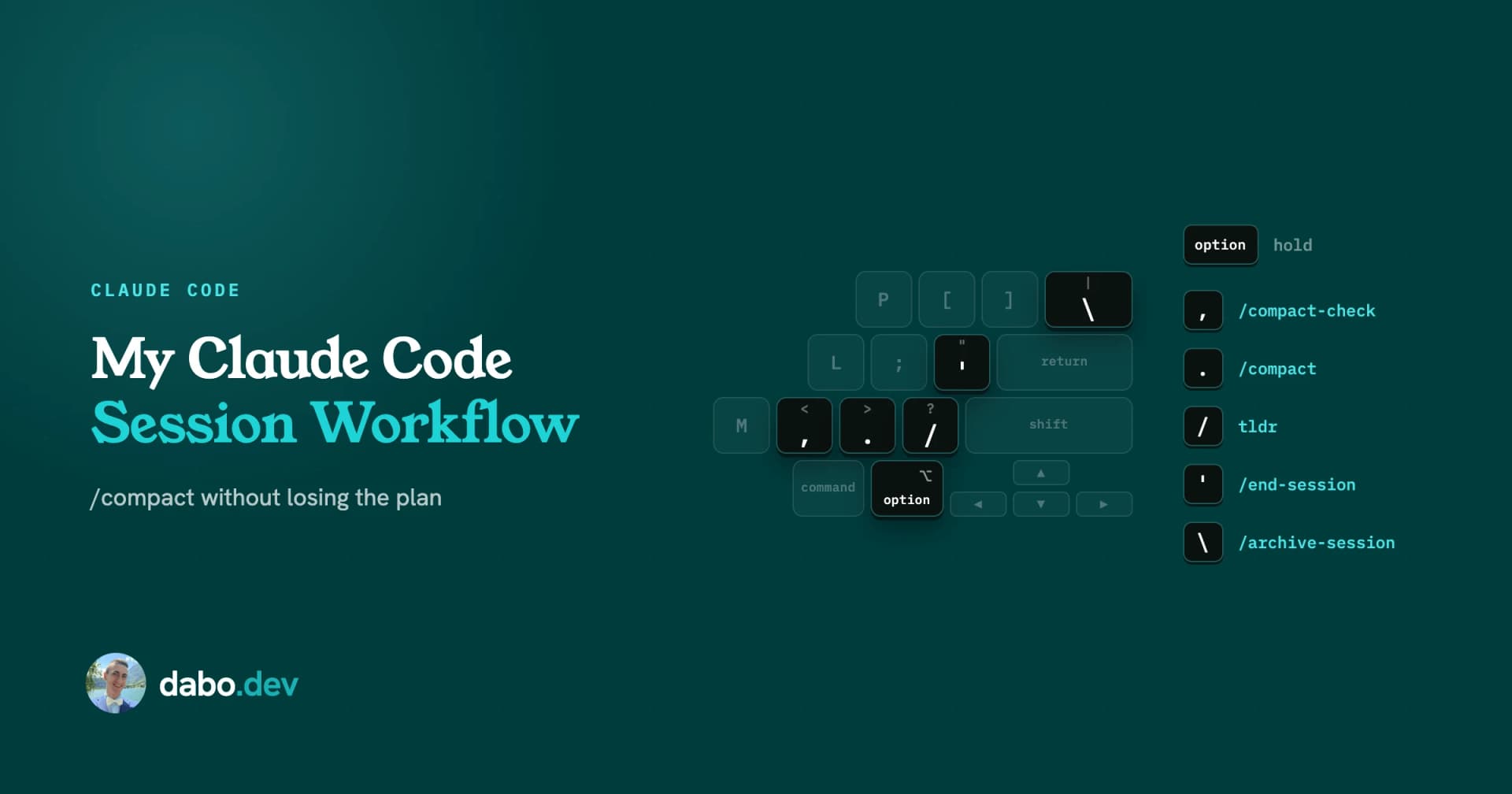
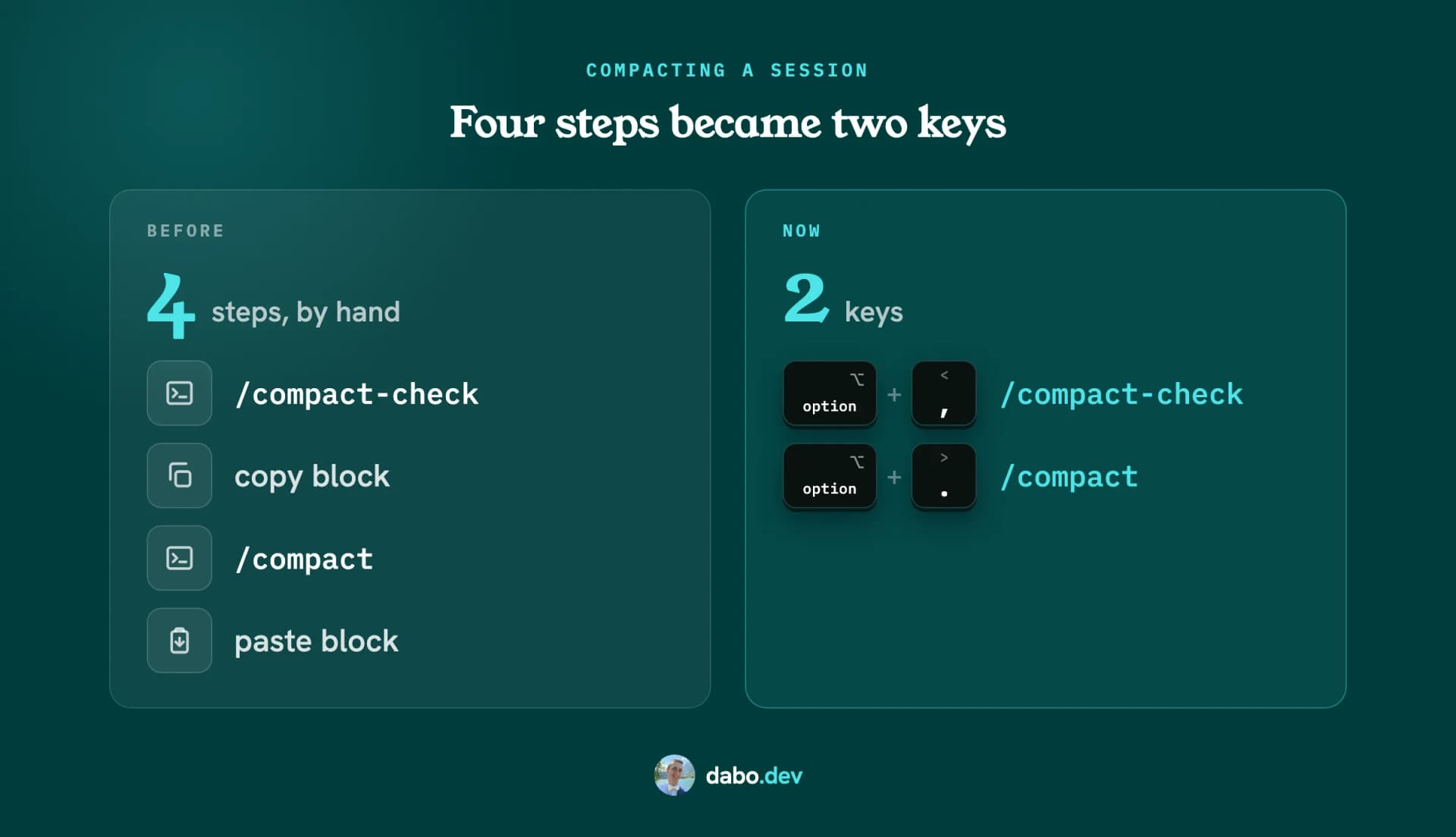
Compacting a Claude Code session used to take me four steps: run an audit, copy the resume block it printed, run /compact, paste the block back. Now it is two keyboard shortcuts on my Mac. Right Option and a comma checks the session and saves the block. Right Option and a period compacts, and the session continues from the block on its own. Three more cover tldr, which asks for a short reply, and closing the session. The whole setup is a public repo, claude-code-session-workflow.
Save what /compact would lose
/compact summarizes the conversation to free context, and the summary can drop what the next chunk of work needs: file paths, step order, decisions, numbers. A file on disk survives /compact word for word, so /compact-check writes those to a file first and tells me whether the session is clean. It checks:
- Repo: uncommitted or unpushed changes, merge conflicts, a PR description older than the latest commit.
- Running work: failing type or lint checks, a dev server, a background task.
- Chat-only content: plans, findings and decisions that exist nowhere but the conversation.
Green prints a resume block of at most ten lines: repo, branch, commit, PR, the plan file to read, what was last completed, what is next. Yellow or red means fix it first. Uncommitted changes stay yellow until they are committed, even when the plan is saved.
Five shortcuts, one hand
Each command is a Karabiner-Elements shortcut, Right Option plus a key:
| Shortcut | Types |
|---|---|
Right Option + , | /compact-check |
Right Option + . | /compact, then a queued go |
Right Option + / | tldr |
Right Option + ' | /end-session |
Right Option + \ | /archive-session |
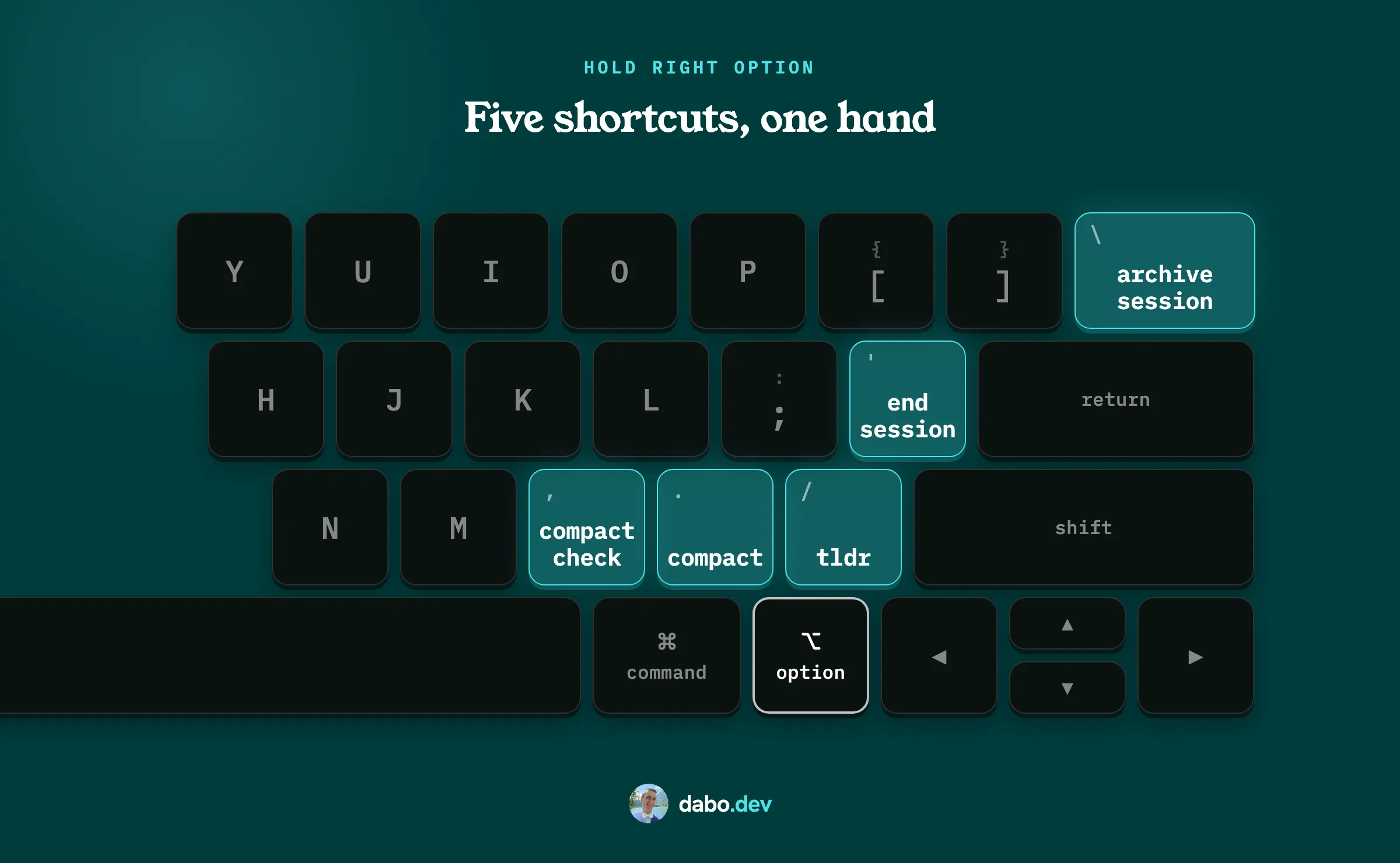
All five sit under the right hand, and all five are everyday shortcuts. I use Right Option so the left one stays free for Claude Code's own Option shortcuts.
The resume block comes back by itself
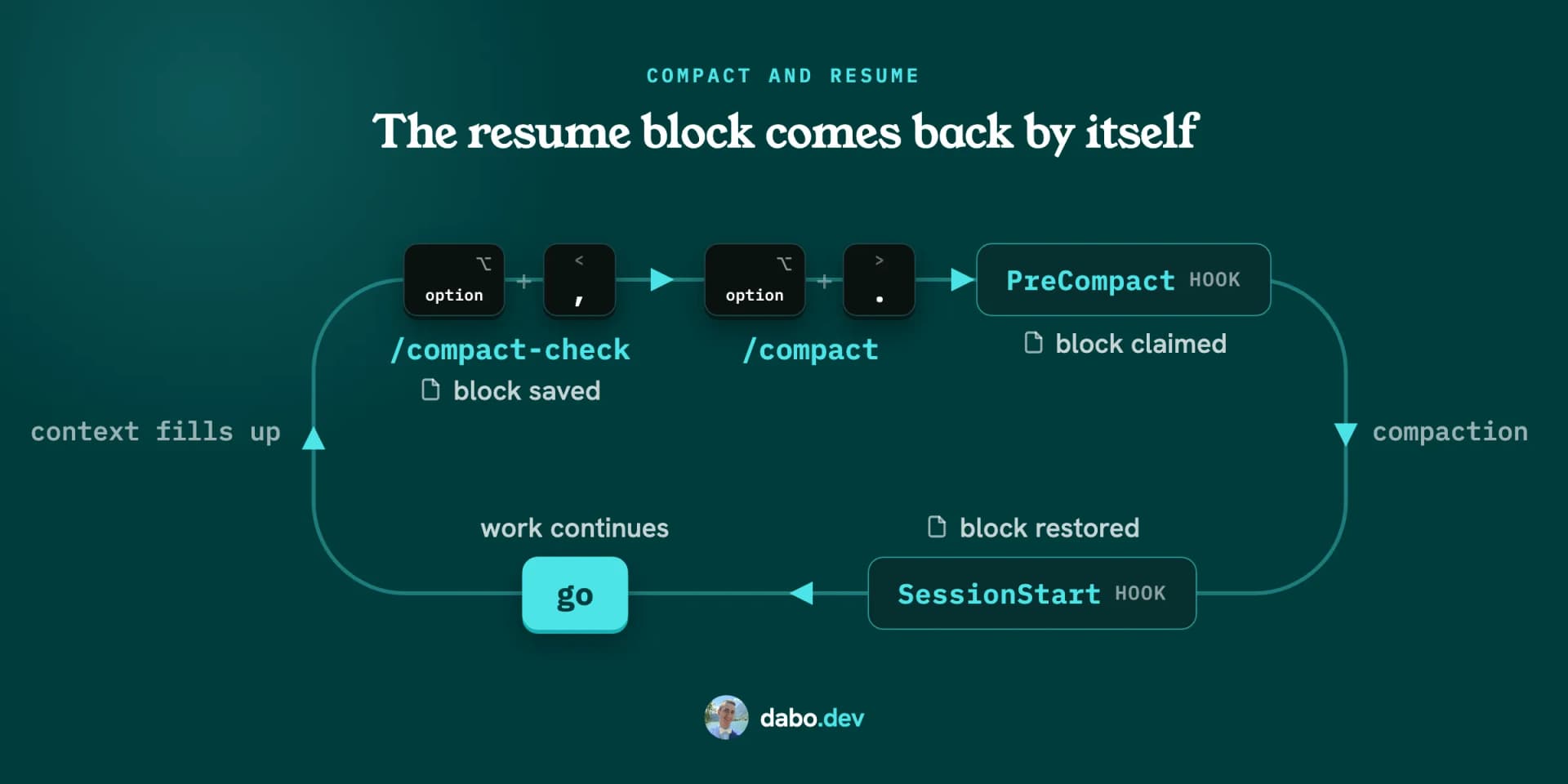
- A green
/compact-checkpipes the block into a store script, which saves it under a random marker and prints the marker into the session. - A
PreCompacthook, registered for manual compacts, finds the marker in the transcript and files the block under the session id. This happens before compaction, while the marker is still in the transcript, and the marker is what keeps parallel sessions apart. - A
SessionStarthook for thecompactsource reads that file after the summary is built and hands the block back as additional context.
The restored block does not make Claude start working on its own, so the compact shortcut types /compact, Enter, then go, Enter. In my test the queued go was held through the compaction and sent after it. The docs describe queuing while Claude works, not compaction specifically, so that rests on what I saw on my machine. In my test, the session id also stayed the same across compaction. The restore hook relies on that id to find the saved file. And the PreCompact script reads an internal transcript format that can change between versions.
Short answers with tldr
tldr or tl;dr in a prompt means:
- At most ten lines or 130 words of prose, whichever comes first.
- The result first, then anything I still need to do.
- Ticket numbers and branch names attach to a plain-language noun, never replace it.
- A correction to something I was told earlier is one plain sentence, no hedge.
- "Nothing needs you" only when that list is empty.
The rule lives in CLAUDE.md, which Claude reads but nothing enforces. An optional Stop hook checks the length of the reply when the prompt said tldr and, if it runs long, asks Claude to write a second, shorter one. The long reply stays on screen.
/end-session and /archive-session
The lifecycle is /end-session, merge the PRs on GitHub, /archive-session.
/end-sessionis the same audit with a harder bar: everything committed, pushed and in a PR, or explicitly handed back, and every plan or decision that exists only in the chat saved to a file. It also flags leftover scratch work. Green is a short checklist plus the merge links as plain text./archive-sessioncollects the PRs the session touched, refuses while one is still open or was closed without a merge, then asks the desktop app to archive the session. In the terminal, VS Code or a cloud session it says so and stops.
Both ask before they commit, push, open a PR, rebase or delete a branch. I merge PRs myself.
Claude Code cannot bind a slash command to a key
keybindings.json binds built-in actions only, and none of them types text. So the shortcut sits one layer down, at the keyboard level.
Two things took most of the build time. In my setup, the app needed time to process the typed command before Enter, so I added a 400 ms pause. And typing / opens the autocomplete menu. In my setup a synthetic Enter arriving while that menu was open did nothing, so the shortcut presses Escape first:
type the command, wait 400 ms, Escape, Enter
Escape, not Tab. Tab accepts whatever is highlighted, and /compact prefix-matches /compact-check, so Tab could fill in the wrong one. tldr opens no menu, so its shortcut skips the Escape.
Install it
Paste this into Claude Code:
Read https://github.com/dabodamjan/claude-code-session-workflow and set it up for me by following its INSTALL.md.
It is a guided install: Claude checks the requirements, lists the planned file changes and shows diffs for updates, with long diffs truncated, asks before writing, backs up what it replaces, and tests the hooks on sample input. INSTALL.md has the manual path.
- Installed:
/compact-check,/end-sessionand/archive-session, plus/session-status, a summary under 25 lines for when you run many sessions at once; the compact-resume scripts; two hook registrations insettings.json; one marked block inCLAUDE.mdwith the tldr rule. - Opt-in, asked about before anything is planned: the tldr Stop hook and the Karabiner rule, global or scoped to the Claude desktop app and the terminals. The rule stays inert until you enable it in the Karabiner UI.
- Requirements: Claude Code on macOS or Linux with bash, jq, python3 and git.
ghis optional; without it the PR checks say unknown. The shortcuts need Karabiner-Elements on macOS, a US-style layout and an empty input line./archive-sessionneeds the desktop app. - Limits: only a manual
/compactcan restore the saved block; the hook that prepares it does not run on auto-compact. Saved blocks expire after 30 minutes by default. A session branched with/branchafter/compact-checkcarries the same marker, and whichever of the two compacts first gets the block.
I use it every day in the Claude Code desktop app on macOS, the only place I have tested the shortcuts. If something breaks on your machine, open an issue on the repo.